

The contract holder is responsible for condition and use of his/her garage access card; however, the rights regarding activation or deactivation of the access card remain with the parking garage. After the initial first month of use, replacement of the access card, for any reason, costs $10.
How to Use Permit to Access Garage
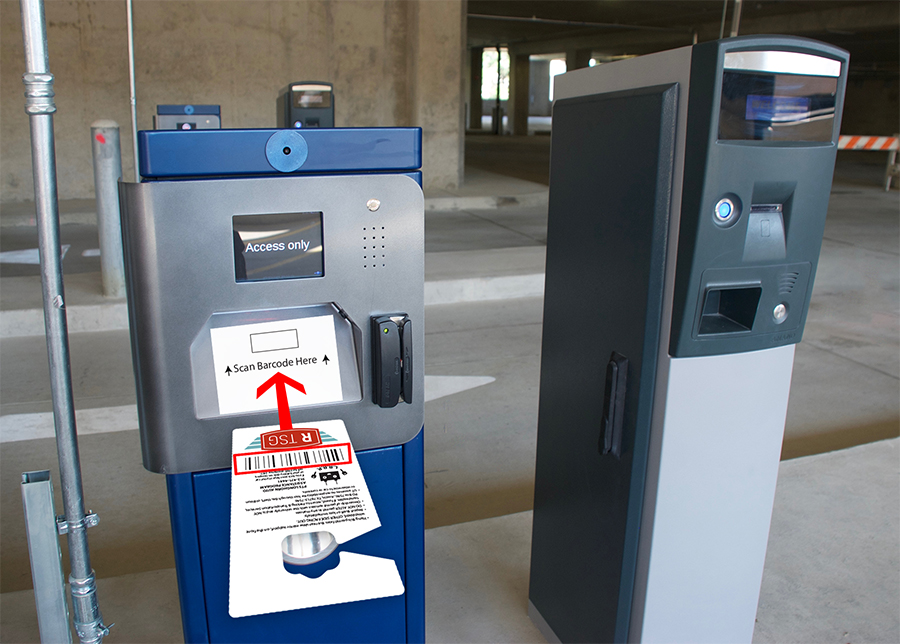
Faculty/Staff Permits
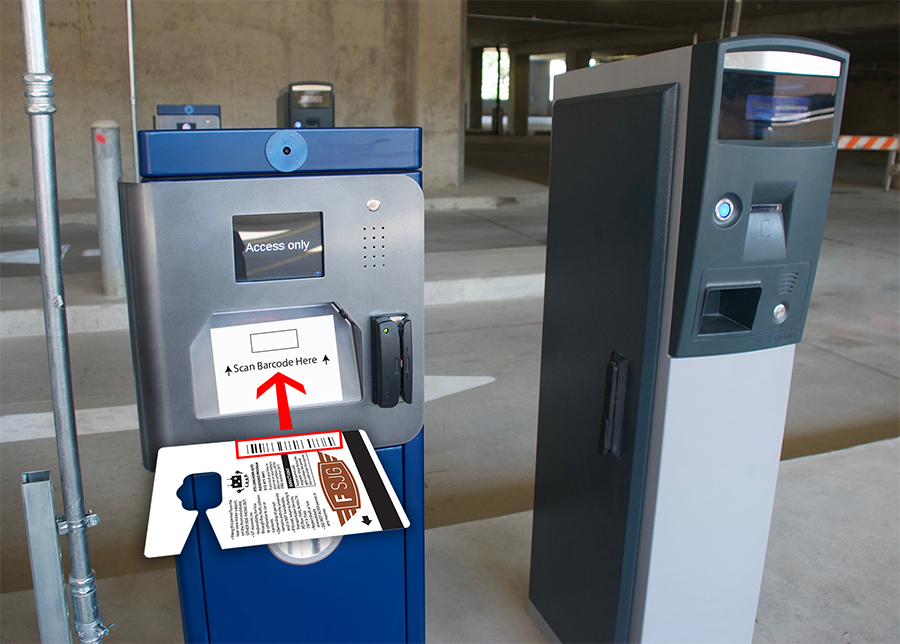
Student Permits
The first machine is the Card Reader Column. As you pull forward, the screen will go from a blank screen to having “Access Only” displayed. When this is displayed, place your permit bar code or the QR code on your smart phone under the scanner. The Image will say “Waiting” and then change to “Proceed” and the gate will go up.
Notice: You can use either the barcode or the QR code on your phone to enter or exit the garage. However, the system will only allow you to have one vehicle in the garage so you cannot scan the barcode on your permit to get into the garage and then try to scan the QR code on your smart phone to enter. You must leave using either credential before another car can enter the garage.
You also have the ability to swipe the magnetic stripe on the back of the permit in the card reader to the right of the scanner area.
For Proximity/Swipe Card Readers
To use the card (Proximity) hold the card in front of reader box near the reader circle. Usually these will read through a wallet or purse.(within 10 inches). The green light signifies a valid read and the gate should open. Usually, proximity cards will read through a wallet or your purse.
Subsequent Use
Always use your access card to enter and exit the garage. If one gate is open, choose a closed gate to enter or exit the garage. You may drive through an open gate only if all gates are open. In this case someone will correct the situation and your card will be programmed to work. Failure to use your access card to open a gate may make the access card go out of sync. Out of sync access cards may be subject to a $12 re-synchronization fee. Never drive through an open gate unless all gates are open.
If Card Fails to Work
Remove the access card from the reader. Wait for the red light to go off and reinsert the access card. Make sure the card is being inserted into the reader so that the back of the card reader stops the card. If the access card continues to fail, please use one of the intercoms that are at all entrances and exits to contact the office. If you take a ticket to enter the garage instead of using your garage access card, the ticket must be brought to the office immediately. Failure to resolve pulled tickets immediately may result in applicable daily charges associated with the pulled ticket.