HOME    

Welcome to the Corpus Christi
Trajectory Analysis Tool


NOTICE: EFFECTIVE SEPTEMBER 26, 2007

The Trajectory Tool has been modified to include the following six enhancements:

  1. Addition of pop-up labels to identify the monitoring sites.
  2. Trajectory run time can now be specified in 5-minute increments.
  3. The map zoom feature has been improved.
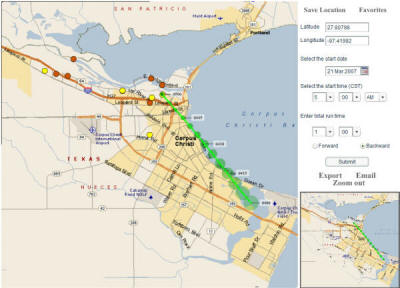
  4. The trajectory position labels increase in size to display uncertainty in location as a function of time.
  5. The user has the option to export the calculated 5-minute trajectory positions to a comma-delimited ASCII text file.
  6. The user has the option to email a trajectory to another user.

Use of the above features is demonstrated in the newly updated Trajectory Tool Tutorial.

Any questions or comments on the enhancements or use of the Trajectory Tool should be directed to Gary McGaughey.


Use the Trajectory Tool to calculate and display a forward or backward trajectory over a street level map of the Corpus Christi area.

What is a trajectory?

A trajectory represents the hypothetical path of a near-surface air parcel assuming the parcel moves with the area-averaged winds measured by the Corpus Christi network of surface monitoring stations.

Simply put, the trajectory provides an estimate of the path air traveled.

For a description of the data used to calculate a trajectory and a summary of the calculation methodology, click here.
 

First-time user resources: Experienced users enter below:
Trajectory Tool Tutorial Trajectory Tool
   

Version 2.0 now ready!